


Bingo Lightning
4.7254.00 Reviews
App Specs
- Version
- 1.0.49
- Updated On
- License
- Free
- Downloads
- 100,000+
- Developer
- Space_Game
- Categories
- Casual
- Platform
- Android
Screenshots


 Analysis by AppCompare
I’d treat Bingo Lightning as a quick, social take on bingo rather than a quiet digital replacement for paper cards. Its bright presentation and brisk calls make it easy to dip into when I have a few spare minutes, while the multiplayer focus gives a round more personality than simply marking numbers alone. My main advice for a first visit is to learn the pace before worrying about power-ups or purchases: the calls move quickly, and enjoying the game starts with getting comfortable following them.
Who will enjoy this kind of bingo
This casual game is a natural fit if you already like bingo, enjoy light competition, or want a game that does not require a long story or complicated strategy to understand. I can also see it working for someone who wants a small shared activity with friends: you can make a round into a relaxed check-in, rather than treating every match like a serious contest. Its Everyone age rating makes the audience broad, though younger players should still have an adult’s help understanding optional purchases.
If your idea of bingo is a slow, low-stimulation game played at your own pace, the quick number calls may be a drawback. The social and power-up elements also mean this is not the best choice for someone who wants a strictly traditional, offline-style experience. In that case, a simple bingo app with fewer competitive distractions—or physical cards with family—may suit you better.
A practical first session
When I try a new bingo game, I give the tutorial my attention instead of tapping through it. A short introduction is most useful when it helps me understand what a call looks like, how marking works, and what the game expects when a round gets busy. After that, I’d start with one room and focus on keeping up with the numbers before trying to use every available extra. That makes the first session easier to judge: I can tell whether I like the pace and presentation without juggling too many things at once.
A realistic moment for this game is a short break at home: I open it, play a round, and stop when I need to return to what I was doing. Because calls are fast, it is less suited to playing while carrying on a demanding conversation or watching something that needs close attention. I would also avoid starting a match when I know I have to leave immediately; even a casual round is more enjoyable when I can follow it to a natural stopping point.
Getting more from each round
One useful habit is to separate learning the room from learning the extras. Themed rooms may make the game feel varied, but switching around constantly can make it harder to settle into the rhythm. I’d spend a little time in one setting first, then move on when I know whether I prefer its look and feel. This is a small choice, but it helps a new player work out whether the attraction is the bingo itself, the changing presentation, or the social side.
Power-ups are best treated as a layer of strategy, not a requirement for having fun. Since they can affect your chances, it is tempting to use them as soon as they appear; I’d first learn what each one does in context and save deliberate choices for moments when I can pay attention. That approach is especially helpful if you are playing with friends: it keeps the round friendly while you figure out whether you enjoy competing or simply sharing the game.
Worth Reading Before You Choose

EA SPORTS FC Mobile 26 Is a Bigger Football Game, but It Takes Time

Flipboard Shows What News Apps Must Do Beyond the Feed

Switching to Android Auto Means Rethinking Your Driving Routine

Google Calendar Makes a Crowded Week Easier to Manage

Ludo King Makes the Most of the Minutes Between Plans

Baby Panda World Brings Quick Play to Modern Phones, but Its Game Library Feels Busy
Keeping the social side comfortable
Playing with strangers can make a familiar game feel lively, and chat may help a room feel less solitary. At the same time, social features are optional in spirit even when they are part of the game’s appeal. If you prefer to concentrate on your cards, you can treat conversation as background rather than something you need to keep up with. If you are playing with friends, agreeing to keep the round casual can make the experience more welcoming for people who are new to bingo.
As with any game that includes chat, I’d keep personal details out of conversation and be considerate when interacting with other players. The point is to add a little human connection, not to turn a relaxed round into pressure to respond or compete. That balance matters most for first-time players, who may be unsure whether they are expected to talk; I would try a round at my own comfort level and see whether the social atmosphere adds to the fun.
First Impressions and Setup
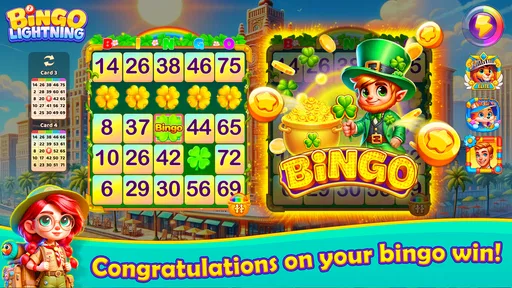
Right off the bat, Bingo Lightning strikes you with its vibrant visuals. The interface is super user-friendly, making it a breeze to navigate, even if you’re not a tech whiz. Downloading and setting up the app was quick and painless. I was up and running in no time, ready to dive into the world of bingo magic.
Once you’re in, the app greets you with a short tutorial. It's perfect for those who might be new to bingo or need a quick refresher. I appreciated this feature, as it sets the stage for what’s to come without being overwhelming.
Gameplay and Features
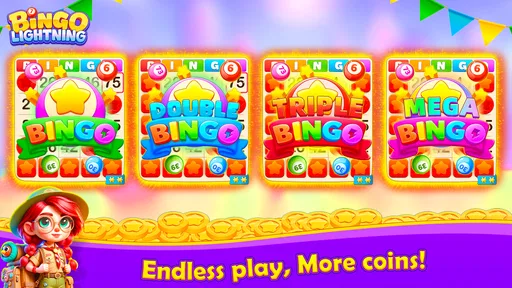
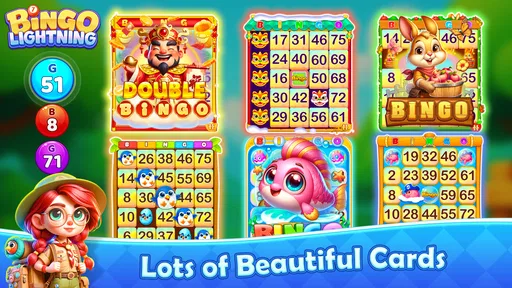
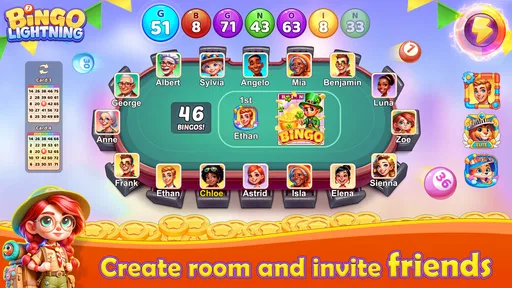
Now, let’s talk about the meat and potatoes — the gameplay. Bingo Lightning offers a variety of rooms to choose from, each with its own unique theme. Whether you’re in the mood for a tropical getaway or a classic casino vibe, there’s something here to tickle your fancy.
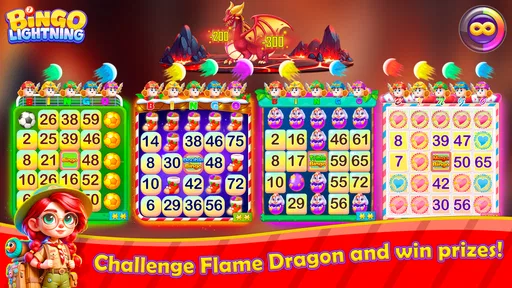
The game mechanics are smooth as butter. The calls are fast-paced, keeping you on your toes, and the power-ups add a delightful twist to the classic bingo experience. You can use these power-ups strategically to boost your chances of winning, which adds an extra layer of excitement.
One of the standout features is the multiplayer mode. You can join forces with friends or play against strangers from around the world. It’s a fantastic way to connect, especially if you’re feeling a bit competitive. I found myself getting wrapped up in the social aspect, and the chat feature is a nice touch for some friendly banter.
Graphics and Sound
The graphics in Bingo Lightning are top-notch. The developers have done a stellar job of creating an immersive environment. Each room is beautifully designed with lively animations that make the game feel dynamic and engaging.
And let’s not forget the sound effects. The audio complements the visuals perfectly, with upbeat tunes and satisfying dings whenever you mark a number on your card. It’s these little details that make the gaming experience all the more enjoyable.
In-App Purchases and Ads
Now, I know what you’re thinking — what about in-app purchases and ads? Well, Bingo Lightning does offer in-game purchases for those who want to enhance their gaming experience or buy extra credits. However, I found that you can still enjoy the game thoroughly without spending a dime.
As for ads, they’re there, but they’re not overly intrusive. They pop up occasionally, but they don’t disrupt the flow of the game. Plus, if you’re really not a fan, there’s an option to remove them with a small fee.
Why You Should Try It
So, why should you give Bingo Lightning a shot? Simply put, it’s a well-crafted game that brings a fresh twist to the traditional bingo experience. Whether you’re a seasoned player or a newbie, there’s something here for everyone to enjoy.
What really sets it apart is the community aspect. The chance to connect with other players worldwide adds a social element that’s both fun and rewarding. Plus, the game’s design and features keep you coming back for more.
In conclusion, if you’re looking for a fun, engaging, and visually stunning bingo app, Bingo Lightning is definitely worth a download. Dive in, enjoy the thrill, and maybe even make a few friends along the way. Happy bingoing!
How it compares with other casual games
Compared with a basic solo bingo app, this one puts more emphasis on rooms, brisk play, power-ups, and other people. That gives each session more energy, but it also asks for more attention than a slow number-matching game. Compared with broader casual games built around puzzles or short reflex challenges, its appeal is more specific: the central pleasure is following calls and seeing whether a card comes together, with the room and chat adding atmosphere rather than replacing the bingo.
That distinction helps set expectations. I would choose it when I want a familiar game with a livelier, multiplayer feel, not when I want a puzzle to solve alone or a game that can be paused at any moment without losing the thread. The developer is Space_Game, and the game is free to download, so trying the basic experience does not require an upfront purchase. Optional in-app items range from $0.99 to $399.99 per item, however, so I’d check each purchase carefully and set a spending boundary before browsing them.
Small choices that make a difference
For a first meaningful success, I would define success as completing a round while understanding the calls and marking accurately—not necessarily winning straight away. That is a more reassuring goal because bingo always involves chance, and power-ups do not guarantee a result. Once the pace feels familiar, I’d try a different themed room or invite a friend, changing one thing at a time so it is clear what makes the session more enjoyable.
Sound can help make number calls and marks feel clear, but upbeat music may not suit every setting. If I were playing somewhere quiet, I’d check the device’s audio level before starting rather than discover mid-round that the effects are too noticeable. Conversely, when the room is noisy, I’d choose a moment when I can focus; trying to catch rapid calls while distracted can turn a relaxing game into a scramble.
There is also a useful distinction between spending to participate and spending to customize or extend a session. I would first play without buying anything and see whether the free experience gives me the kind of rounds I want. If a purchase is tempting, I’d pause long enough to identify exactly what it provides and whether I will use it. The wide range of possible item prices makes that check more important than an impulse tap, especially on a device used by more than one person.
What to expect over time
Bingo Lightning has a 4.7 average from around 2.5 thousand ratings, with over 100 thousand installs, which suggests that many players have given it a try and responded positively. I would treat that as a useful sign of broad appeal, not a promise that every room, match, or social interaction will suit me. The game was released on November 13, 2023, and its current version is 1.0.49; it requires Android 6.0 or later. Those details are handy when checking whether an older device can run it.
The game is rated for Everyone, but that does not make every purchase decision automatic for a family. I’d show a younger player where optional spending appears and agree on whether purchases are allowed before handing over the device. The same simple rule helps adults avoid spending more than intended when the excitement of a round makes extra credits seem appealing.
My overall recommendation is for players who want accessible bingo with a social edge and do not mind keeping up with fast calls. I’d skip it if I wanted an offline, unhurried pastime, disliked chat or competitive touches, or preferred games with no optional spending. For everyone else, I’d start with the tutorial, play one round without buying extras, and decide from there whether the mix of themed rooms, quick play, and friendly company is the kind of break I want.
Pros
- Intuitive and user-friendly interface.
- Engaging graphics enhance gameplay.
- Variety of bingo rooms available.
- Frequent updates with new features.
- Smooth performance even on older devices.
Cons
- In-app purchases can be pricey.
- Requires constant internet connection.
- Ads can be intrusive at times.
- Limited offline play options.
- Some features are region-locked.
FAQs for Bingo Lightning
What features does Bingo Lightning offer?
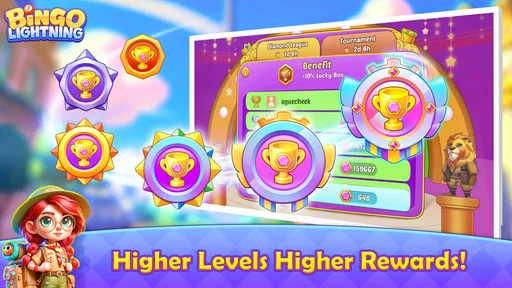
Bingo Lightning offers a fast-paced, engaging bingo experience with vibrant graphics and multiple game modes. Players can enjoy real-time multiplayer matches, participate in daily tournaments, and collect power-ups to enhance gameplay. The app also provides customizable cards and themes, ensuring a personalized gaming experience.
Is Bingo Lightning free to play?
Yes, Bingo Lightning is free to download and play. However, it offers in-app purchases that allow players to buy additional power-ups, themes, and other enhancements. While these purchases can enhance gameplay, they are completely optional and not required to enjoy the full experience.
Can I play Bingo Lightning offline?
Bingo Lightning requires an internet connection for most of its features, particularly for multiplayer matches and daily tournaments. However, there are limited offline options available, allowing players to practice and enjoy basic bingo games without an internet connection.
Is Bingo Lightning safe for children?
Bingo Lightning is designed for a general audience and includes social features and in-app purchases. Parents should be aware of these elements and may want to supervise or restrict their child's use of the app. The game does not contain explicit content, but parental guidance is recommended for younger players.
How can I troubleshoot issues with Bingo Lightning?
If you encounter issues with Bingo Lightning, first ensure your app is updated to the latest version. Clearing the cache and restarting your device can also help. If problems persist, contact customer support through the app or visit the developer's website for further assistance and troubleshooting guides.


